Invoicing and SEF
Invoices go to SEF from the order, and purchase invoices arrive on their own.
A sales invoice is created from one or several orders, gets the NBS rate, SEF tax category and letterhead, and goes to SEF with status tracking. Purchase invoices are pulled from SEF and booked as costs.
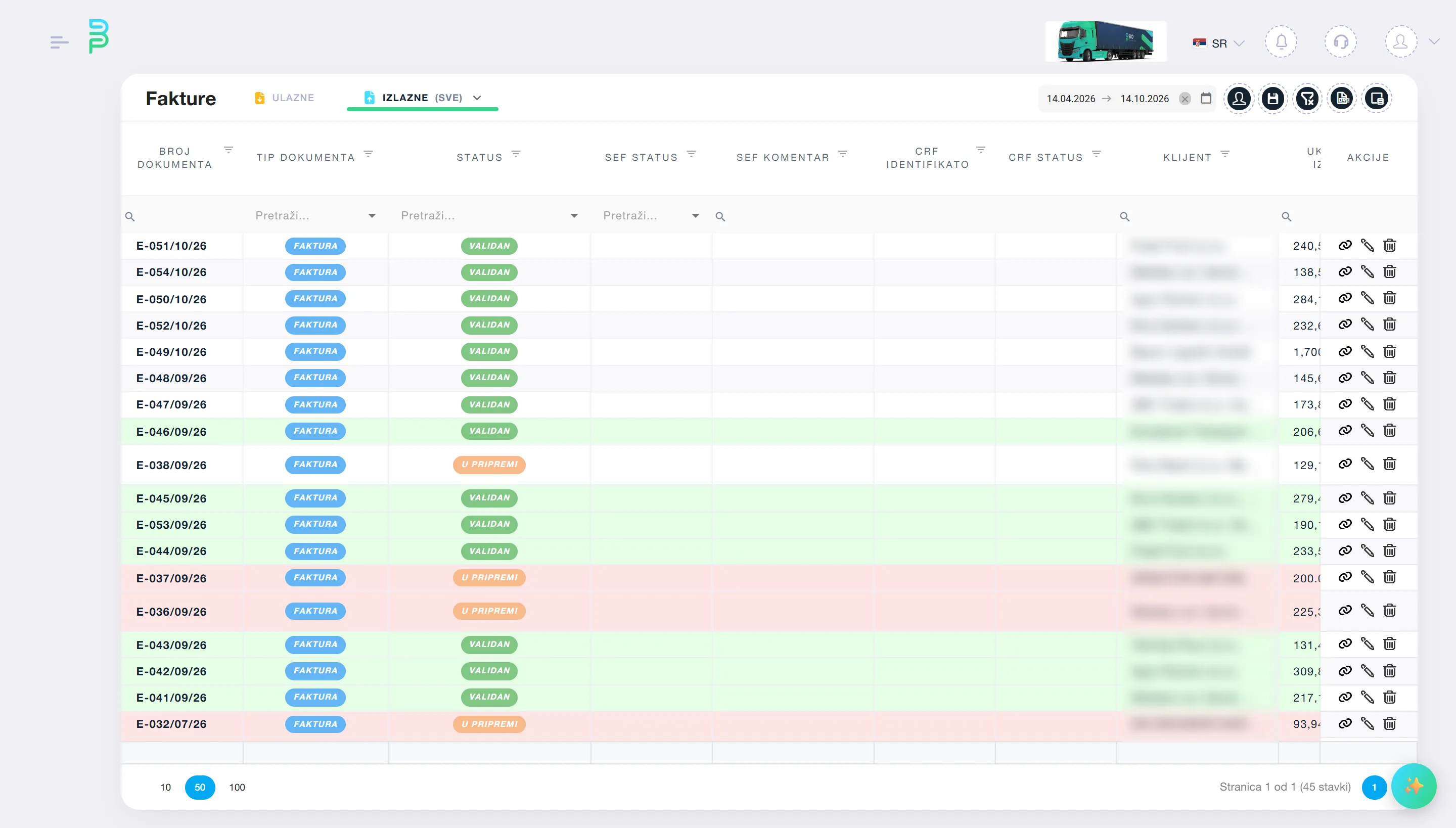
SEF (the Serbian e-invoicing system) is not an add-on but part of the flow: invoice from the order, advance invoice, credit or debit note, cancellation, everything is sent and comes back with a status. After sending, the invoice is immutable, as the law requires.
Purchase invoices arrive automatically, with attachments. You accept or reject within the legal deadline, and the system immediately proposes costs per line and tracks how much of the invoice is allocated.
What you get
-
Invoice from the order
One order or several orders on one invoice (monthly billing). Items from the catalogue, NBS rate on the supply date, numbers from counters, standard SEF note, vehicle plates from the tour if you want them.
-
SEF tax category suggestion
Per item and invoice, based on transport type and customs procedure. Fewer errors on SEF, fewer rejected invoices.
-
Advances, proformas, notes
A proforma turns into an invoice with one click. An advance invoice (SEF 386) links to the final one. Credit and debit notes with confirmation.
-
Purchase invoices from SEF
Automatic pull, attachments, accept and reject. Invoices that do not come through SEF are read by AI from PDF or scan, including toll invoices with 150 lines.
-
Bank statements
Statement import (Raiffeisen, Intesa, AI for others) with balance check, automatic matching to invoices by reference and amount, one payment to several invoices, FX differences, paid status.
-
Customer ledger and reminders
Ledger with running balance, open-items statement for reconciliation, IPS QR code for payment. Overdue invoices get an email reminder, with a sent log.
-
PDF on your letterhead
Print template per company: dates, VAT recap by rate, discount, advance, amount in words, exemption text, client code.
Who it is for
Related modules
Modules that work together with this one
Same data, no retyping between modules.
See how it looks on your own data.
The demo takes 45 minutes over a video call, on examples from your company. No obligation.