Transport invoicing software: from the order, without retyping
Transport invoicing in BID Partners starts from the order: price, extra services, exchange rate on the day, payment QR code, then sent electronically in one click. Purchase invoices come in, are read by AI and become costs on the tour, the vehicle or the company.
Freight invoicing software that imports bank statements and closes paid invoices on its own.
- e-invoicing for hauliers
- freight invoicing
- invoice from the order
- 01
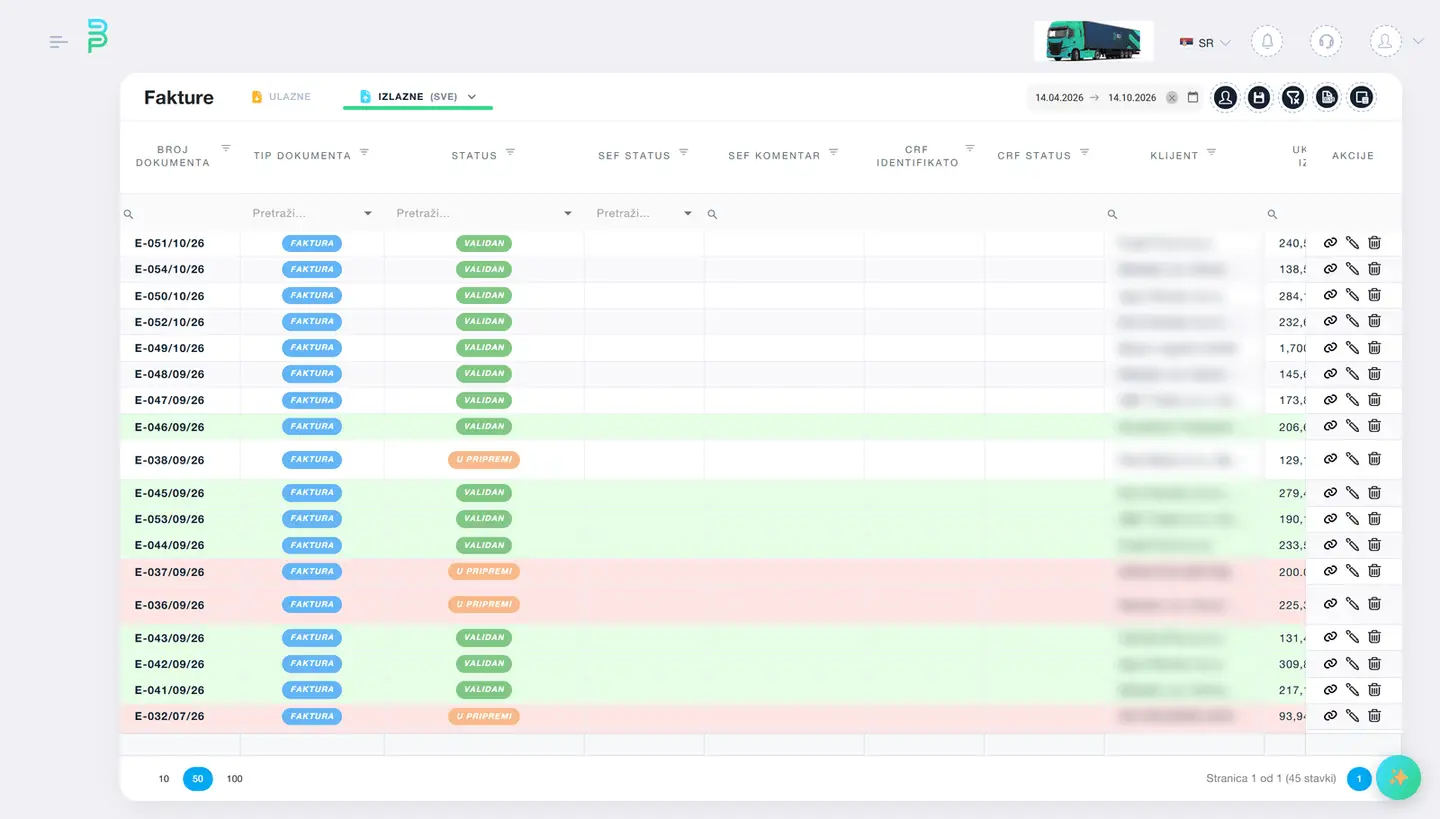
Sales invoice from the order
One order, one invoice, or a collective invoice for several orders. Advance invoices, credit and debit notes. Currency and exchange rate on the day of supply. The e-invoicing status shows on the invoice.
- 02
Purchase invoices as costs
Supplier invoices arrive, AI reads the PDF attachments, and rules allocate them as costs: a toll to the tour, a service to the vehicle, rent to the company. The accountant confirms.
- 03
Statements and matching
Bank statement import with automatic matching to invoices by reference and amount. Open items per client, reminders in one click, balance per partner.
- 04
Cash and refunds
Driver cash expenses through the cash register, foreign VAT recorded for refund by country, fuel excise refund per vehicle and period.
Where it is used
Invoicing across Europe
Mandatory e-invoicing in Serbia, and invoices to EU clients from the same order in EUR in the client's language.
-
Serbia
SEF sales and purchase e-invoices, IPS QR, national bank rate, VAT records, credit notes.
-
Germany, Austria, Netherlands, Italy
Invoices in German or English, reverse charge, foreign VAT recorded for refund.
-
United Kingdom
GBP invoices in English, reverse charge for EU clients, statements in GBP and EUR.
Product
Modules that do this: Transport invoicing software
-
Invoicing and SEF
Invoices go to SEF from the order, and purchase invoices arrive on their own.
Read more -
Costs and profitability
Every cost reaches the tour that caused it.
Read more -
Fuel and toll cards
Statements from 12 issuers, matched to tours automatically.
Read more -
Reports and period result
From tour revenue to operating result, every number leads to a receipt.
Read more
FAQ
Frequently asked questions: Transport invoicing software
Does the invoice have to be typed again into accounting?
No. Invoices and statements export in a format accounting systems import, and the accountant can work directly in the system with their own login.
What happens when an e-invoice is rejected?
The status shows on the invoice with the reason. Correct it and resend, without a new entry.
Can I see unpaid invoices per client?
Yes, open items per client with days overdue, and a reminder in one click to the client's email.
Other solutions
Book a demo: Transport invoicing software
The demo takes 45 minutes over a video call, on examples from your company. No obligation.